How to invoice as a freelancer
- 1
Add your name or studio, address and email. Upload a logo if you have one.
- 2
Enter the client and a due date. Net 14 or Net 30 are common.
- 3
Add your work: hours with a unit of "hrs" and your hourly rate, or one line per milestone for fixed-fee projects.
- 4
Add sales tax only if your state requires it, write your payment terms in Notes, then download and send.
What to include on a freelance invoice
- Your name (or business name), address and email.
- The client's company name and billing contact.
- Invoice number, invoice date and due date.
- What you did: project name, dates or hours, and rate.
- Any deposit already paid, expenses and tax.
- How to pay you: bank transfer details or a payment link, and your late-fee policy.
Hourly, fixed fee or retainer?
| Billing model | How to show it | Good for |
|---|---|---|
| Hourly | Qty = hours, unit "hrs", rate = hourly rate | Open-ended or changing scope |
| Fixed fee | One line per milestone (e.g. "Design — 50%") | Clear deliverables |
| Retainer | One line: "Retainer — November 2026" | Ongoing monthly work |
Contractor invoices in the US
If you work as an independent contractor, the client may ask for a Form W-9 and later report what they paid you on Form 1099-NEC. Your invoice is still the same document: it just needs to match what you are paid. See the IRS page on independent contractors for the rules that apply to you.
Consulting invoices: milestones and expenses
Split larger engagements into milestones and invoice each one as it is delivered. Add travel or software costs as separate lines with the receipts' totals, so the client can see what is fee and what is pass-through cost.
Payment terms that get you paid
- Ask for a deposit before you start. Many freelancers ask for 30–50% upfront on new clients.
- Use a short, specific due date (Net 14) rather than "on receipt".
- State a late fee in plain words, for example: "Invoices unpaid after 30 days incur a 1.5% monthly late fee."
- Make paying easy: put bank details or a payment link right on the invoice.
Sending and tracking invoices
Download the PDF, or send a summary by WhatsApp or email straight from the tool. When you're sending dozens a month, automated invoicing and reminders save hours; that's the kind of system we build.
How much detail should a freelance invoice have?
Enough that the person who pays it can match it to the agreement without asking you. For a fixed-fee project, reference the proposal or quote and the milestone. For hourly work, list the main tasks with the hours for each, or attach a timesheet.
If the client is a company, ask who approves invoices and whether they need a purchase order (PO) number. Adding the PO number in the notes is often the difference between being paid in two weeks and in two months.
Invoicing international clients
Bill in the currency you agreed in the contract. If you're paid in a different currency from your own, agree up front who pays the conversion and transfer fees, and say so in the notes, for example "Please cover transfer fees so the full amount arrives".
Tax rules for cross-border services vary by country. In many cases no local sales tax is added for clients abroad, but check what applies to you with an accountant.
What to do when an invoice is late
- The day after the due date: a short, friendly reminder with the invoice attached again.
- One week late: a second reminder that mentions the late fee from your terms, if you have one.
- Two to three weeks late: call or message the person who approves payments.
- After that: pause further work until the account is settled, as your contract allows.
Retainer invoices
For ongoing monthly work, invoice at the start of each month for that month's retainer. Use one line such as "Design retainer — December 2026 (up to 20 hours)", and list hours used beyond the retainer as a separate line at the hourly rate.
Keep the same payment terms every month so the client's accounts team can plan for it, and save the invoice as a draft so next month you only change the date and the month in the description.
Freelance invoice checklist
- Your name or business name, address and email.
- The client's legal company name (not only your contact's name).
- A unique invoice number and the invoice date.
- A due date or payment terms, like Net 30.
- What you did, with hours or milestones.
- Any deposit already received and the balance due.
- How to pay: bank details or a payment link.
- Late-fee terms, if you charge one.
Sample freelance invoice (hourly + deposit)
| Description | Hours | Rate / hour | Amount |
|---|---|---|---|
| UX research | 8 | 95.00 | $760.00 |
| Prototype design | 12 | 95.00 | $1,140.00 |
- Subtotal
- $1,900.00
- Total
- $1,900.00
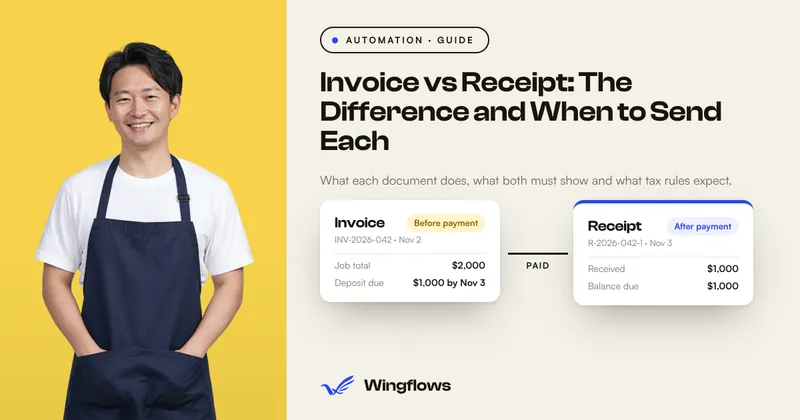
- Deposit received
- -$500.00
- Balance due
- $1,400.00
Common freelance invoicing mistakes
- Starting without a deposit. Ask for part of the fee upfront, then show it as "Deposit received" on the final invoice.
- No late-fee wording. If you charge one, it must be on the invoice.
- Lumping hours into one line. Split by task so the client can check the work.
- Making payment hard. Add a payment link or bank details so the client can pay in one step.
Related: All-in-one invoice generator · Quotation maker for deposits · Talk to us about automated invoicing
Sources: IRS: Independent contractor (self-employed) or employee?