How to make a quotation in 4 steps
- 1
Pick your tax preset and currency, then add your business details and logo.
- 2
Add the client, a quote number and a "valid until" date.
- 3
List each item or service with quantity and price. Tax and totals are worked out for you.
- 4
Write your payment terms, advance and delivery time, then download the PDF. When the client accepts, press "Convert to invoice".
Download quotation format in Word, Excel and PDF
Prefer a quotation template you can fill in offline? Download one below. The Excel quotation sets the validity date 30 days after the quote date, adds GST if you switch it on, and works out the advance and the balance. The Word file includes a terms section and an acceptance line for the client to sign.
- Download quotation format in Excel (.xlsx)Excel · 10 KB
Items, GST on/off, validity date, advance % and balance. Works in Excel and Google Sheets.
- Download quotation format in Word (.docx)Word · 38 KB
Editable A4 quotation with terms and a client acceptance block.
- Download quotation format in PDFPDF · 56 KB
Blank, print-ready A4 quotation.
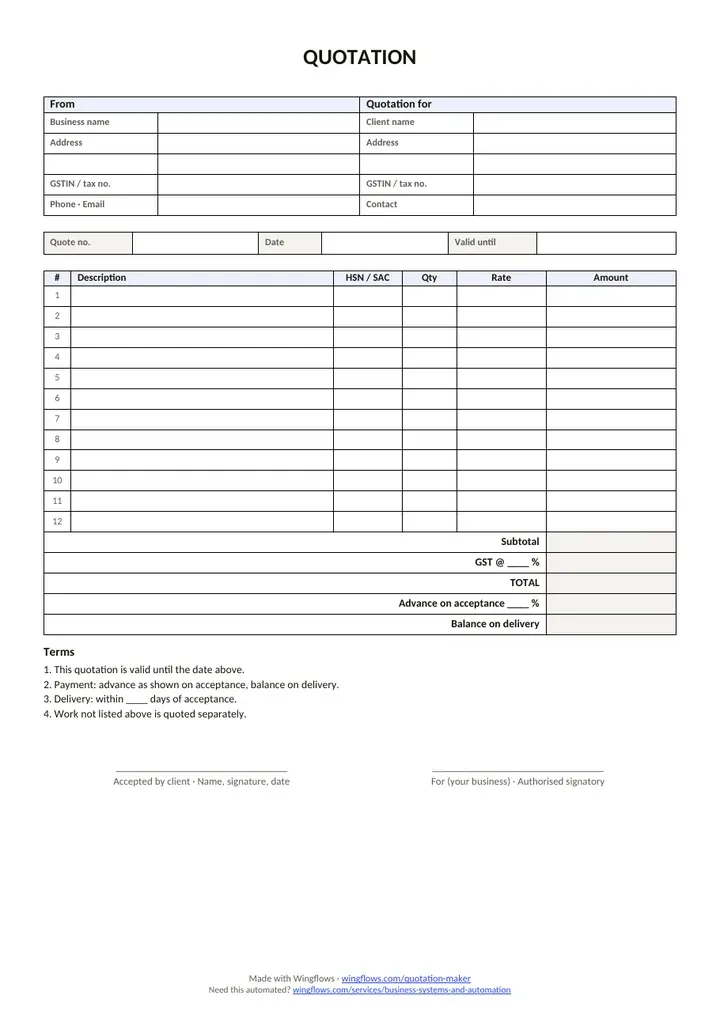
Free to use and share. No sign-up, no email. A4, with a small Wingflows credit in the footer.
Quotation format: what to include
- Your business name, address and tax number.
- The client's name and address.
- Quote number, date and the date the price is valid until.
- Items or services with quantity, rate and amount.
- Taxes (GST, VAT or sales tax) and the total.
- Payment terms and the advance you need to start.
- Delivery time or project timeline.
- A line for the client to sign and date to accept.
Quotation, estimate, proforma or invoice?
| Document | Price | Purpose |
|---|---|---|
| Estimate | Approximate | A rough idea of cost; may change |
| Quotation (quote) | Fixed for a period | A firm offer the client can accept |
| Proforma invoice | Final | Preview of the invoice, often for an advance |
| Invoice | Final | Request for payment after delivery |
GST in a quotation (India)
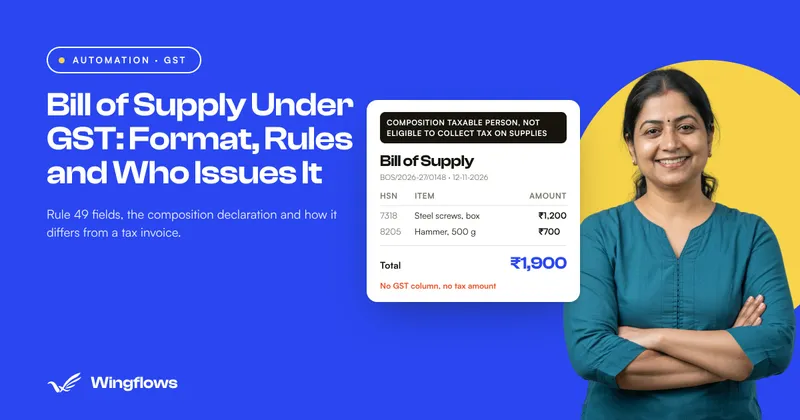
A quotation isn't a tax document, so GST isn't due when you send it. Still, show the GST rate and amount so the client knows the full price. Add your GSTIN and the HSN/SAC codes, and the same details flow into the tax invoice when you convert the quote.
Writing terms that protect you
- Validity: "This quotation is valid for 30 days." Prices for materials and time change.
- Payment schedule: "50% advance on acceptance, 50% on delivery."
- Scope: list what's included, and say that extra work is quoted separately.
- Revisions: "Includes 2 rounds of revisions."
- Acceptance: ask the client to sign and date the quote, or reply in writing.
Turn a quote into an invoice
When the client accepts, press "Convert to invoice". The client, items, tax and your details are copied into a new invoice with the next invoice number and a due date. Use the invoice generator for one-off invoices without a quote.
Quotation template for services
For service work, describe deliverables rather than hours where you can: "Logo design, 3 concepts, 2 revision rounds" tells the client exactly what they get. List optional extras as separate lines so the client can remove them without asking for a new quote.
Add the expected timeline in the Delivery field, and make it depend on acceptance: "Delivery in 3 weeks from acceptance and receipt of the advance".
Quotation template for products
For goods, show the quantity, unit and unit price on each line, and add delivery or shipping as a separate charge. If prices depend on stock or exchange rates, keep the validity short and say so in the terms.
In India, add the HSN code for each product so the same details carry over to the tax invoice.
How to follow up on a quotation
- Send the PDF with a one-line summary: what it covers, the total and the validity date.
- Ask one question that's easy to answer, such as "Shall I book the start for the 15th?"
- Follow up after a few working days if you haven't heard back.
- A week before the quote expires, remind the client of the date.
- If they accept, convert the quote to an invoice for the advance, so the numbers can't drift.
Estimate vs quotation: which one to send?
Send an estimate when you can't price the job exactly yet, for example repairs where the problem isn't fully known. Send a quotation when the scope is clear and you're ready to commit to a price. You can make both with this tool; for an estimate, add "This is an estimate; the final price may change" to the terms.
Proforma invoice vs quotation
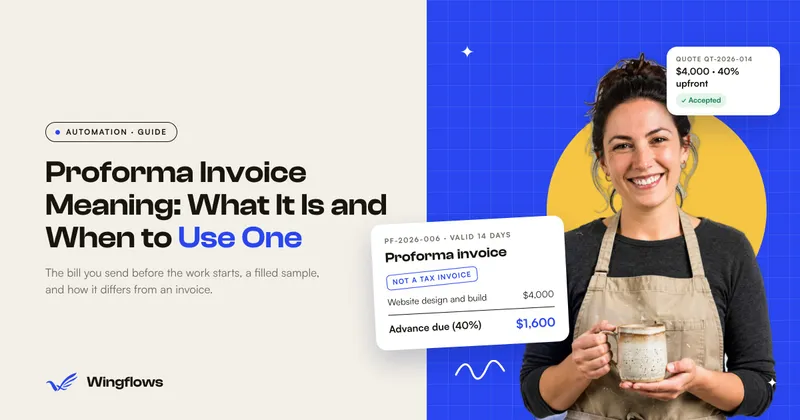
A proforma invoice looks like the final invoice and is often used to request an advance or for customs. A quotation is an offer the client can accept or decline. If your client asks for a proforma, make the quotation first and agree the advance; a dedicated proforma template is planned.
Quotation format checklist
- Your business name, address and contact details.
- Client name and address.
- Quote number and date.
- Valid-until date.
- Itemised prices with quantities.
- Taxes shown separately.
- Payment terms and advance.
- Delivery timeline.
- A line for the client to accept.
Changing a quotation after you send it
If the scope changes, send a revised quote with a new number (for example QT-2026-007-R1) rather than editing the old PDF, so both sides can see which version was accepted. The tool keeps your numbering format, so a revision suffix stays in place when you make the next one.
Payment schedules that work
| Project size | Typical schedule | Why |
|---|---|---|
| Small (a few days) | 100% on delivery, or 50/50 | Low risk; keep it simple |
| Medium (weeks) | 50% advance, 50% on delivery | Covers your time if the client stops halfway |
| Large (months) | 30% / 40% / 30% by milestone | Cash flow for both sides; payment follows progress |
Whatever you choose, write it in the terms and set the advance percentage so the amount due on acceptance is printed. When the client pays the advance, convert the quote to an invoice for that amount, and later invoice the balance.
Sending a quotation by WhatsApp or email
Download the PDF and send it with a short message: the quote number, the total, what it includes and the valid-until date. The WhatsApp and Email buttons fill in that summary for you; attach the PDF before sending. On a phone, "Share PDF" opens your share sheet with the file attached.
Sample quotation, worked through
| Description | Qty | Rate | Amount |
|---|---|---|---|
| Website design | 1 | 40,000 | ₹40,000.00 |
| Hosting (1 year) | 1 | 6,000 | ₹6,000.00 |
- Subtotal
- ₹46,000.00
- CGST 9%
- ₹4,140.00
- SGST 9%
- ₹4,140.00
- Total
- ₹54,280.00
- Advance 50% on acceptance
- ₹27,140.00
Common quotation mistakes
- No validity date. Without one, a client can accept an old price months later.
- Unclear scope. List what's included and say that extra work is quoted separately.
- No acceptance step. Ask the client to sign and date the quote or confirm in writing.
- Retyping it as an invoice. Convert it with one click so the numbers can't drift.
Related: invoice generator · GST invoice format · freelance invoice template · amount in words · Offerte maken (Dutch)